Coming soon
Cut it. Break it.
Morph it back together.
SliceMorph takes up to four loops, slices them on a grid, and rerolls the pattern from a seed — same groove, a new break every time you ask.
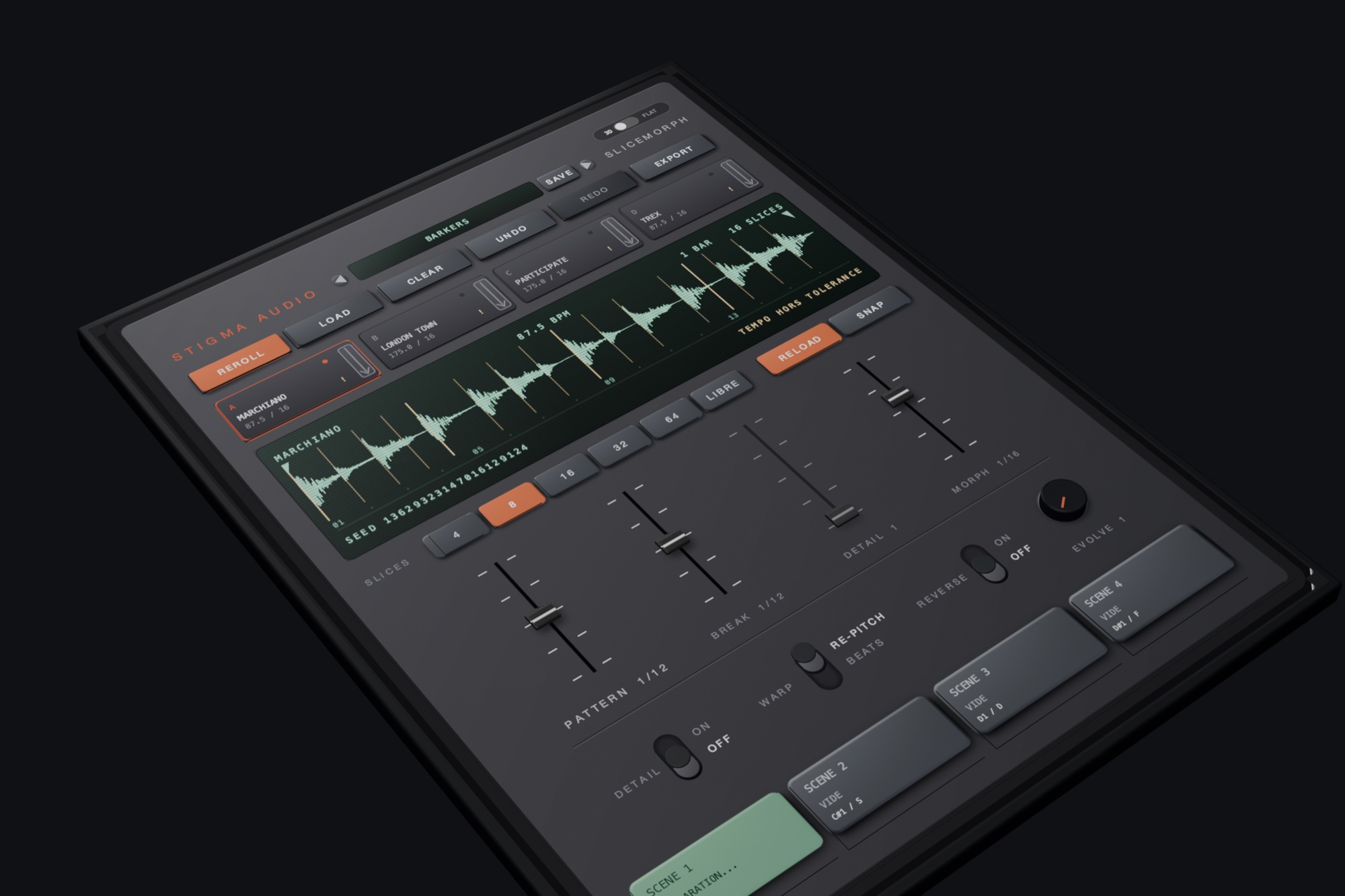
On screen
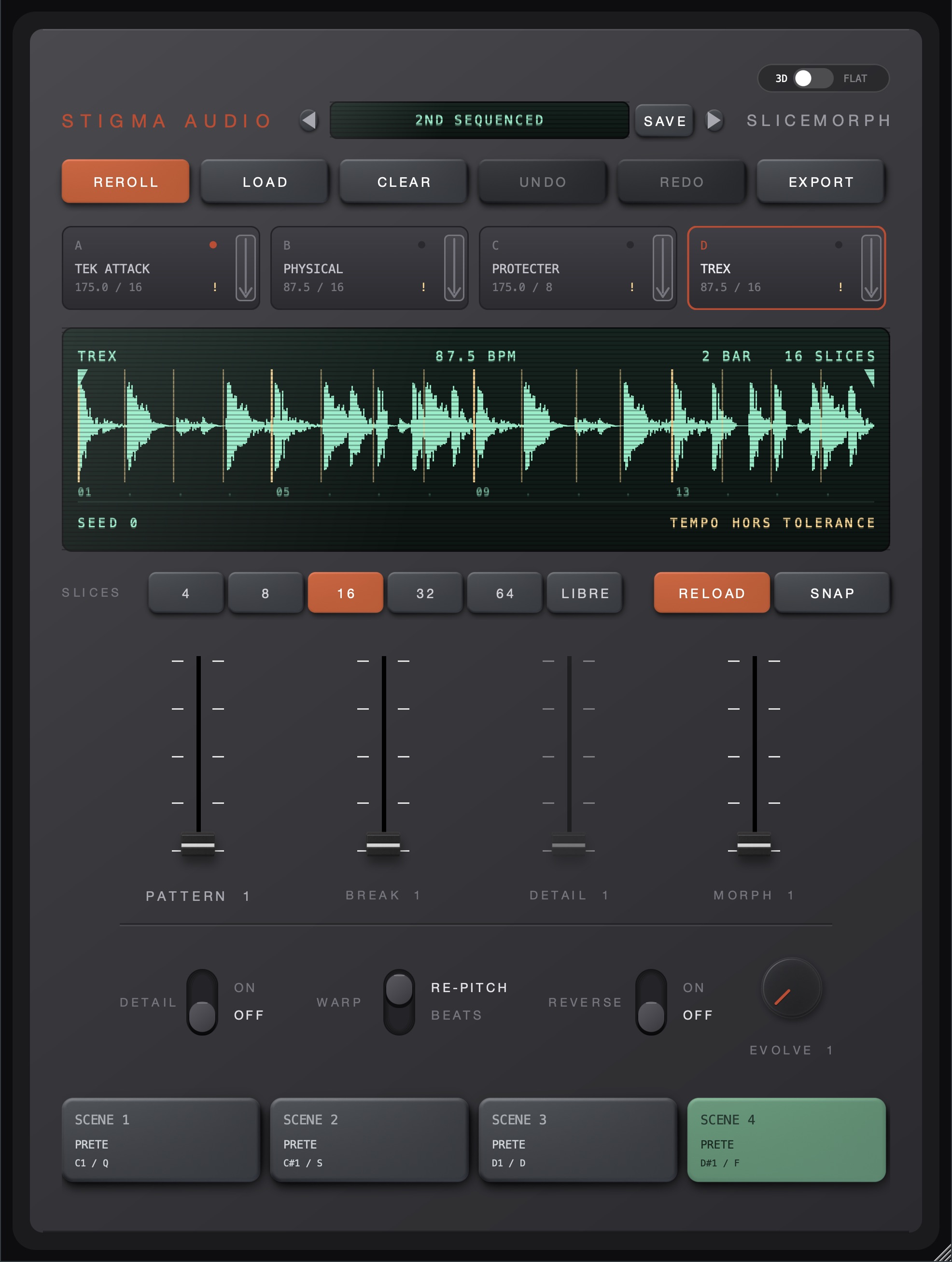
The real thing, full size
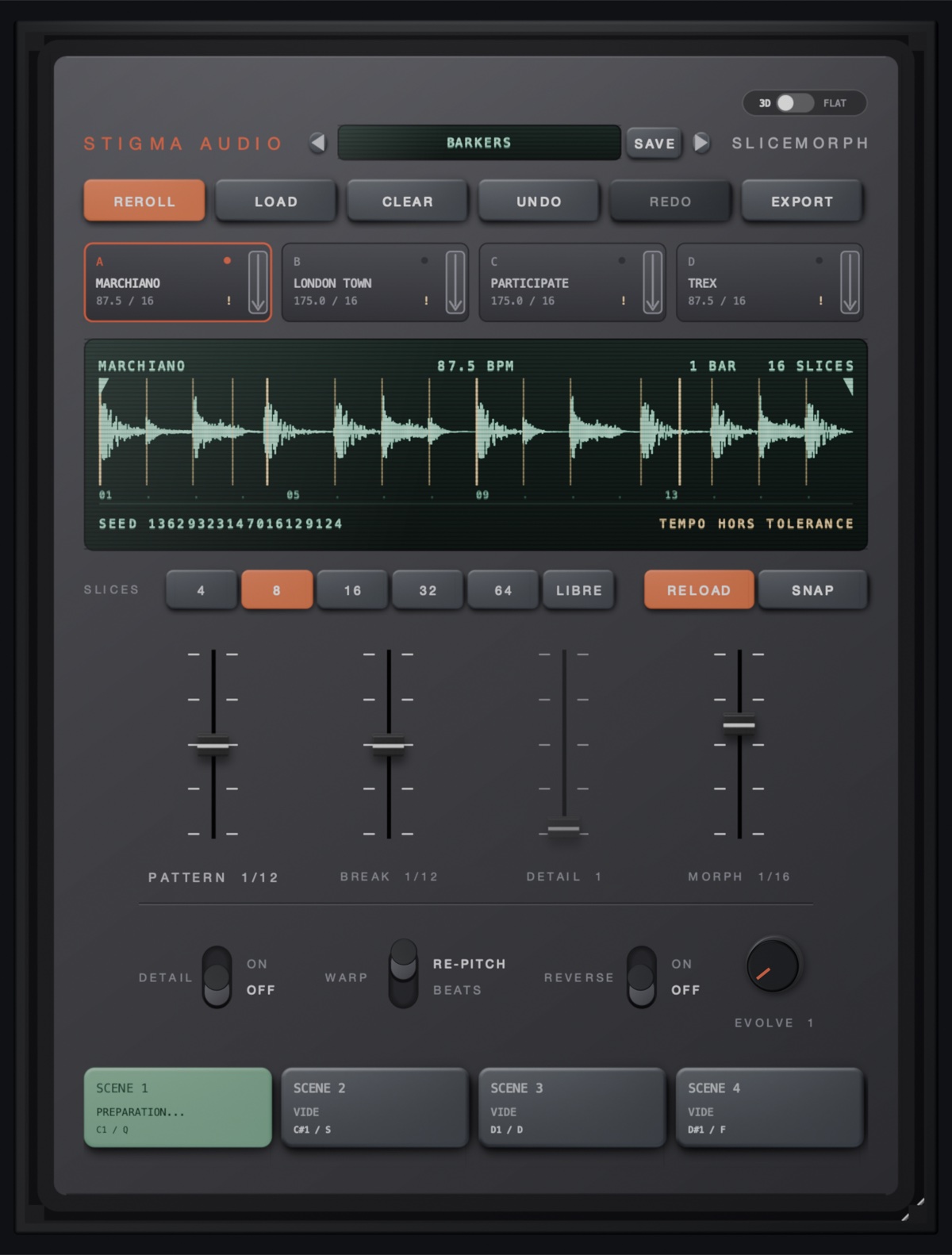
A straight screenshot of the plugin, running — no render, no retouching.
Three moves
Load. Reroll. Play.
Four slots, four loops
Drop a loop in each slot. Every slot keeps its own tempo, bar count and slice grid — 4 to 64 slices or free, movable markers, and SNAP to catch the attack.
One click, one new break
Every pattern is drawn from a seed: same seed, same break, exactly. Don't like this one? REROLL. Went too far? UNDO walks you back.
Scenes under your fingers
Four scenes, switchable from MIDI notes (C1–D#1) or the computer keyboard. Prepare your variations, then play the arrangement live.
The machine
One screen, four faders, zero menus
Everything lives on one panel: the loop slots, the VFD screen, the slice grid and the four macro faders. What you see is the whole instrument.
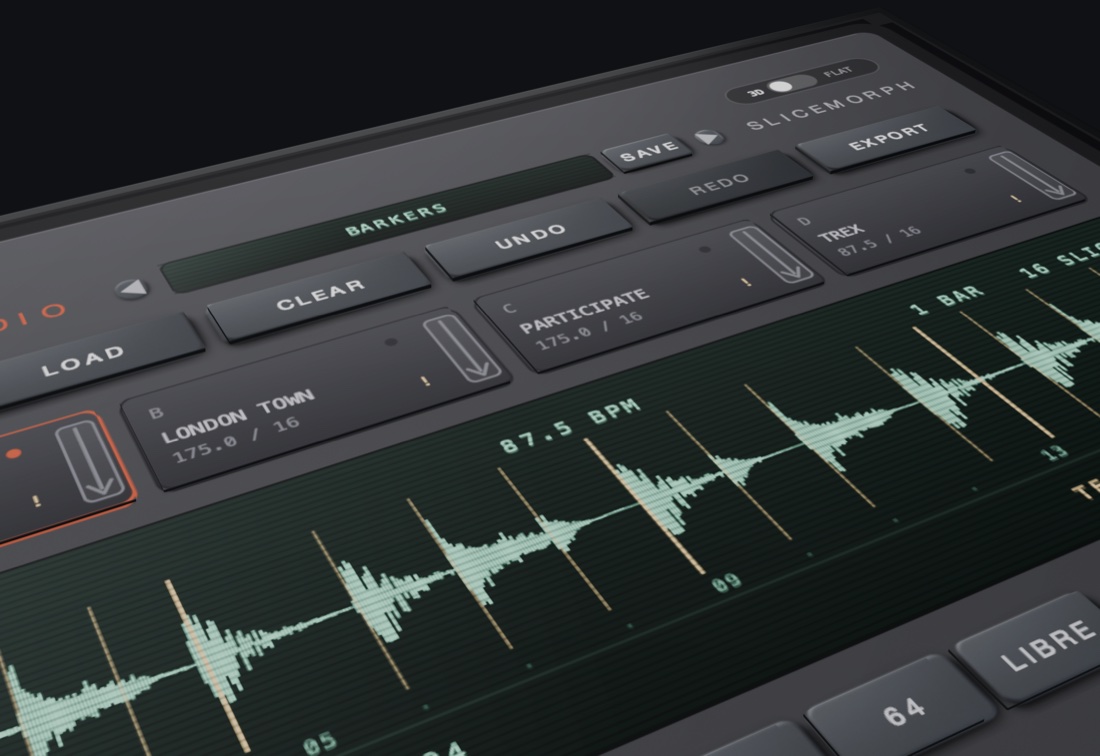
Four loop slots
A to D, each with its own file, detected tempo and bars, its own slicing and its own pattern.
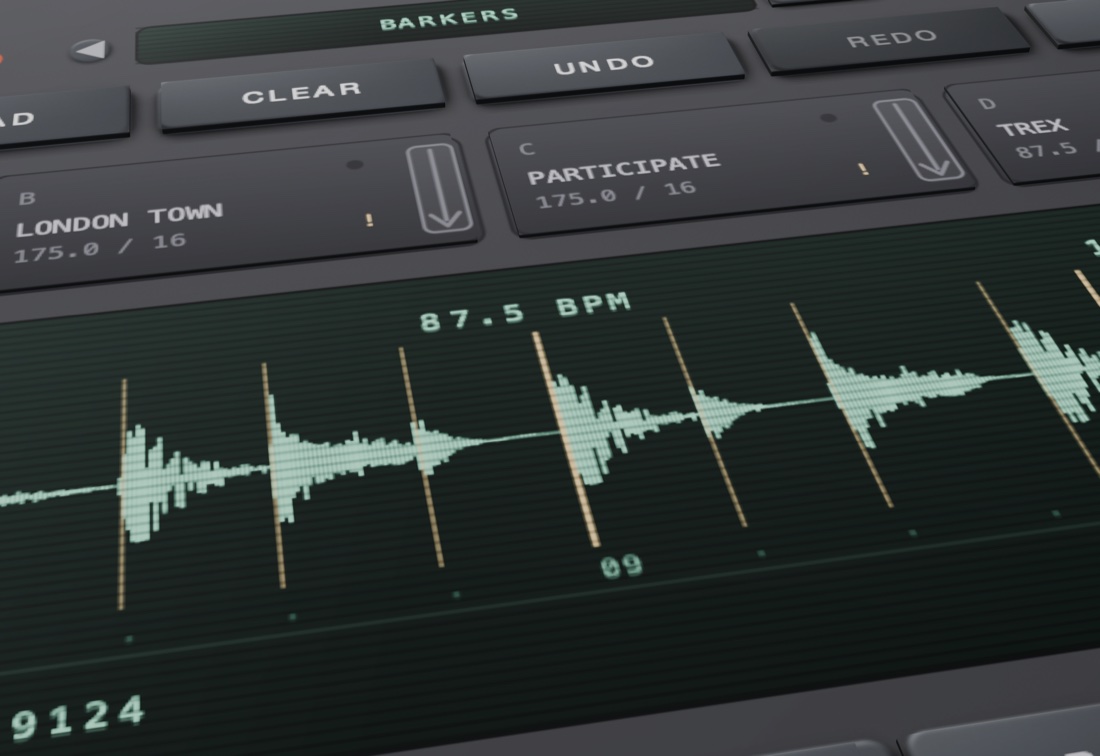
The VFD screen
The master loop's waveform with its slice markers, detected BPM, bars — and the seed of the pattern you're hearing.
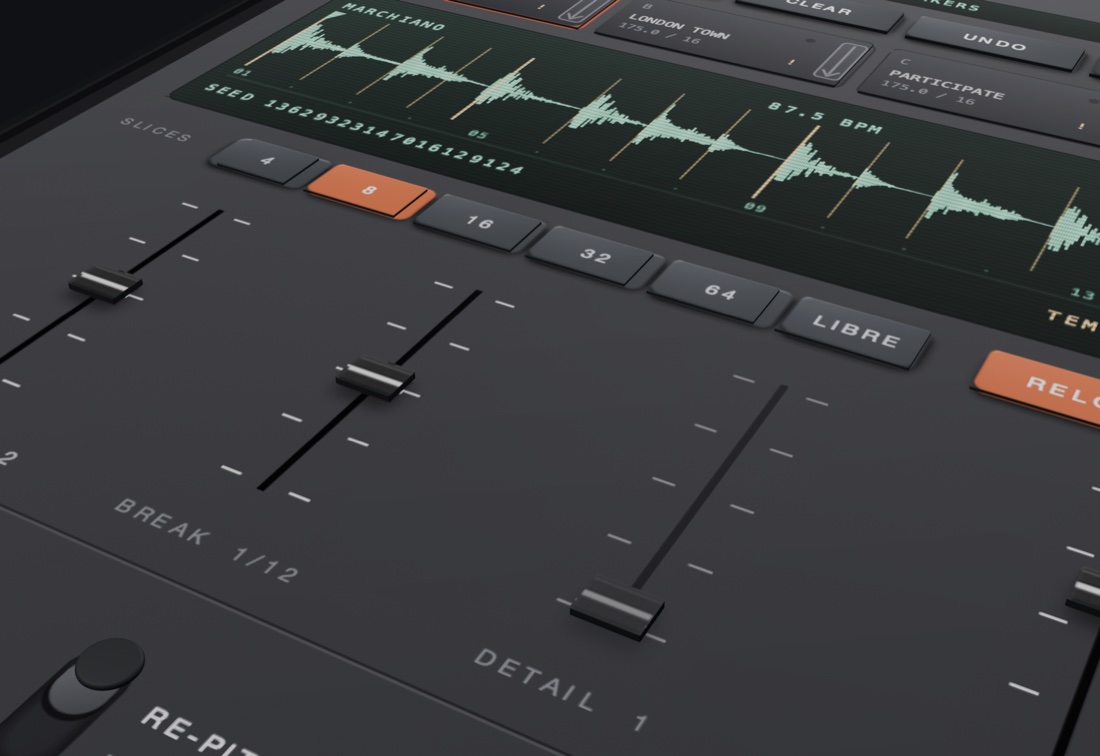
Four faders
PATTERN, BREAK, DETAIL, MORPH. They decide placement — which slice plays where — never per-sample processing.
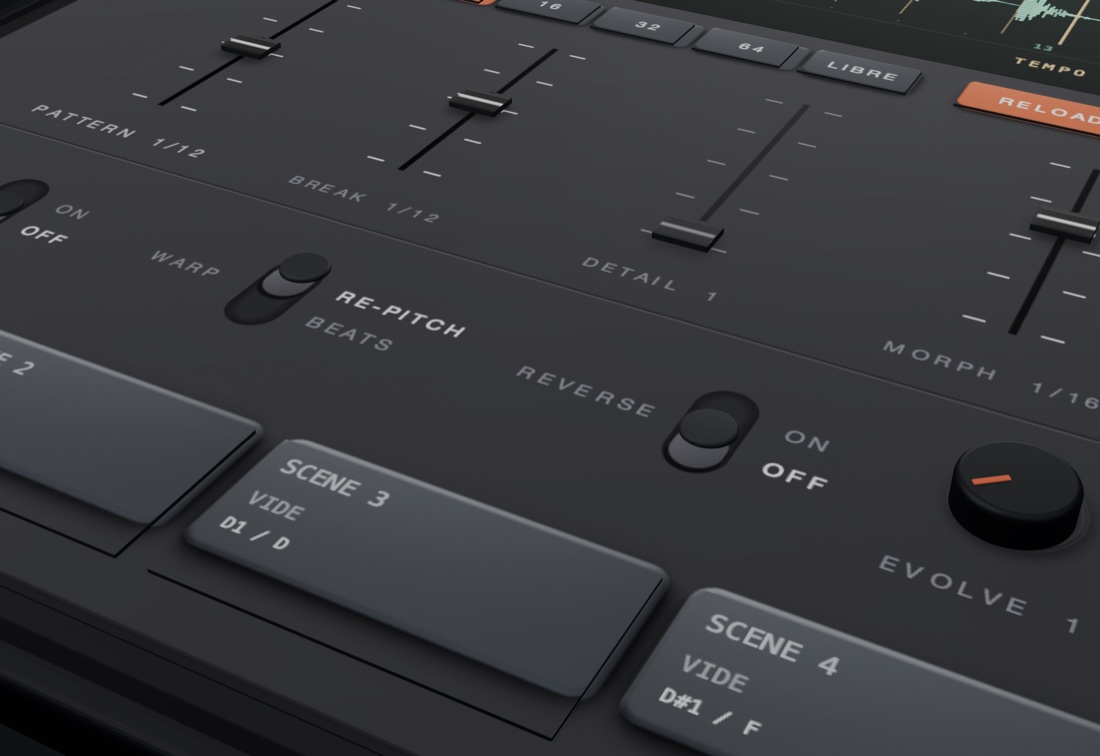
Switches & scenes
DETAIL on/off, WARP, REVERSE, the EVOLVE knob — and four scenes waiting on your pads.
In motion
Take a closer look
A 3D-rendered pass over the panel — four loop slots, the VFD screen, four faders and the scenes, one machine.
The five macros
Placement, not processing
Five independent random streams derive from the same seed — pushing one macro never changes what the others drew.
PATTERN
At zero, the straight sequence — bit-exact. Push it up and each step may play another slice from the same loop.
DETAIL
A switch and an amount: the chance a step splits into two triggers. Off by default.
BREAK
Per-step accidents, drawn at random: reverse, pitch up to an octave either way, or a short stutter of 2 to 6 repeats.
MORPH
The only macro that crosses loops: a step borrows its slice from another slot. Four loops become one break.
EVOLVE
A reroll on a knob: the chance a fresh seed is drawn each time the loop comes around. Set it and let the pattern drift.
The other skin
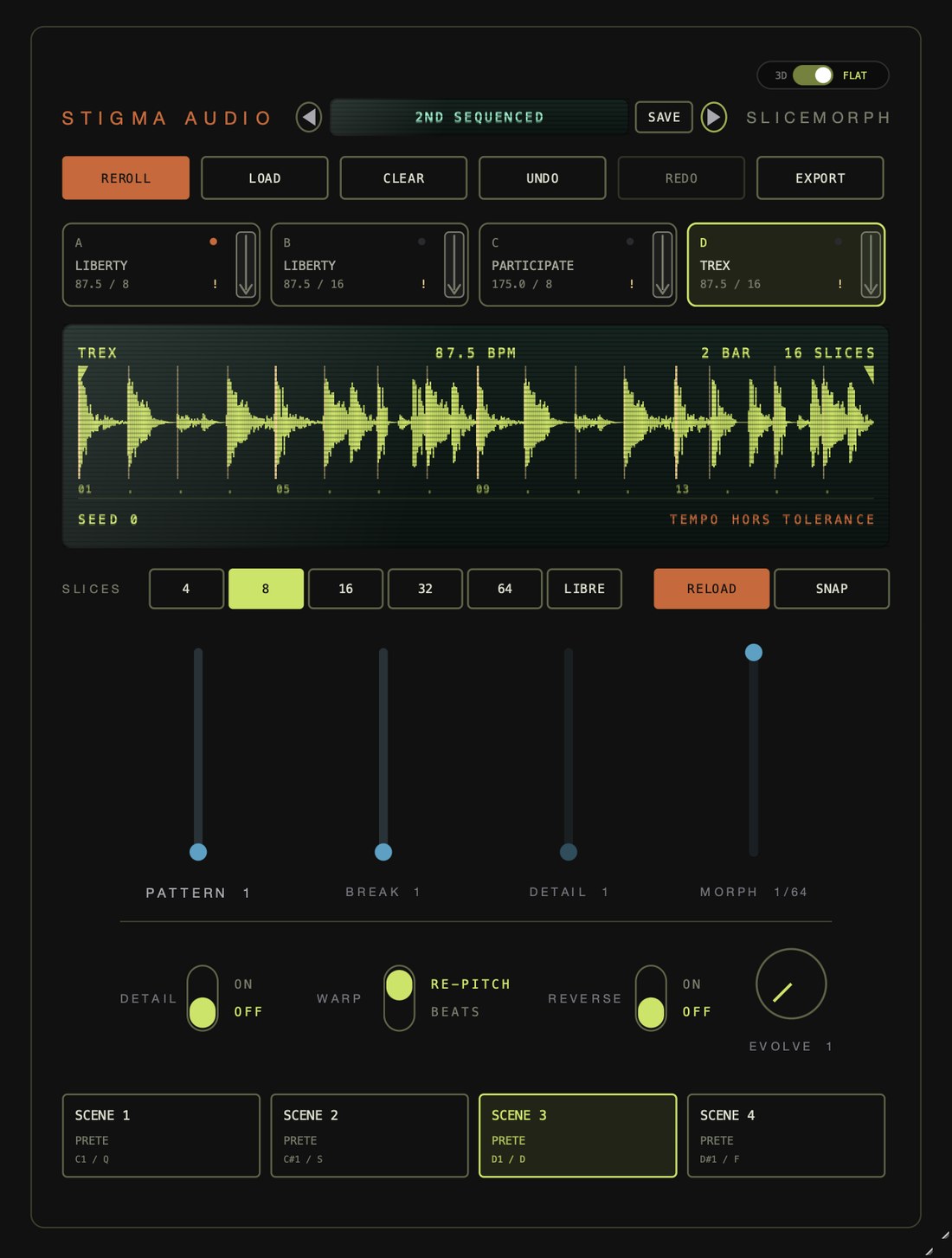
3D — or FLAT
- Two skins, one switch: the 3D face above, and FLAT — a vector skin in acid green.
- Sharp at any size: FLAT is fully vector, so it stays razor-crisp at every zoom factor.
- Same instrument: every control, in exactly the same place.
Reproducible by design
Same seed, same break
- Seed-driven: the seed on screen is the pattern. Recall it, and you recall the exact break.
- REROLL, UNDO, REDO: generate freely, step back safely.
- Presets: name a setup, save it, walk through your bank with the arrows.
- EXPORT: render the result to WAV.
Specifications
Under the hood
Launch
Get notified when it ships
No spam: one email at release. That’s it.
Opens our Gumroad page — type your email there, done. Unsubscribe in one click, any time.
A STIGMA AUDIO PLUGIN · 4 LOOPS · 5 MACROS · 1 SEED